

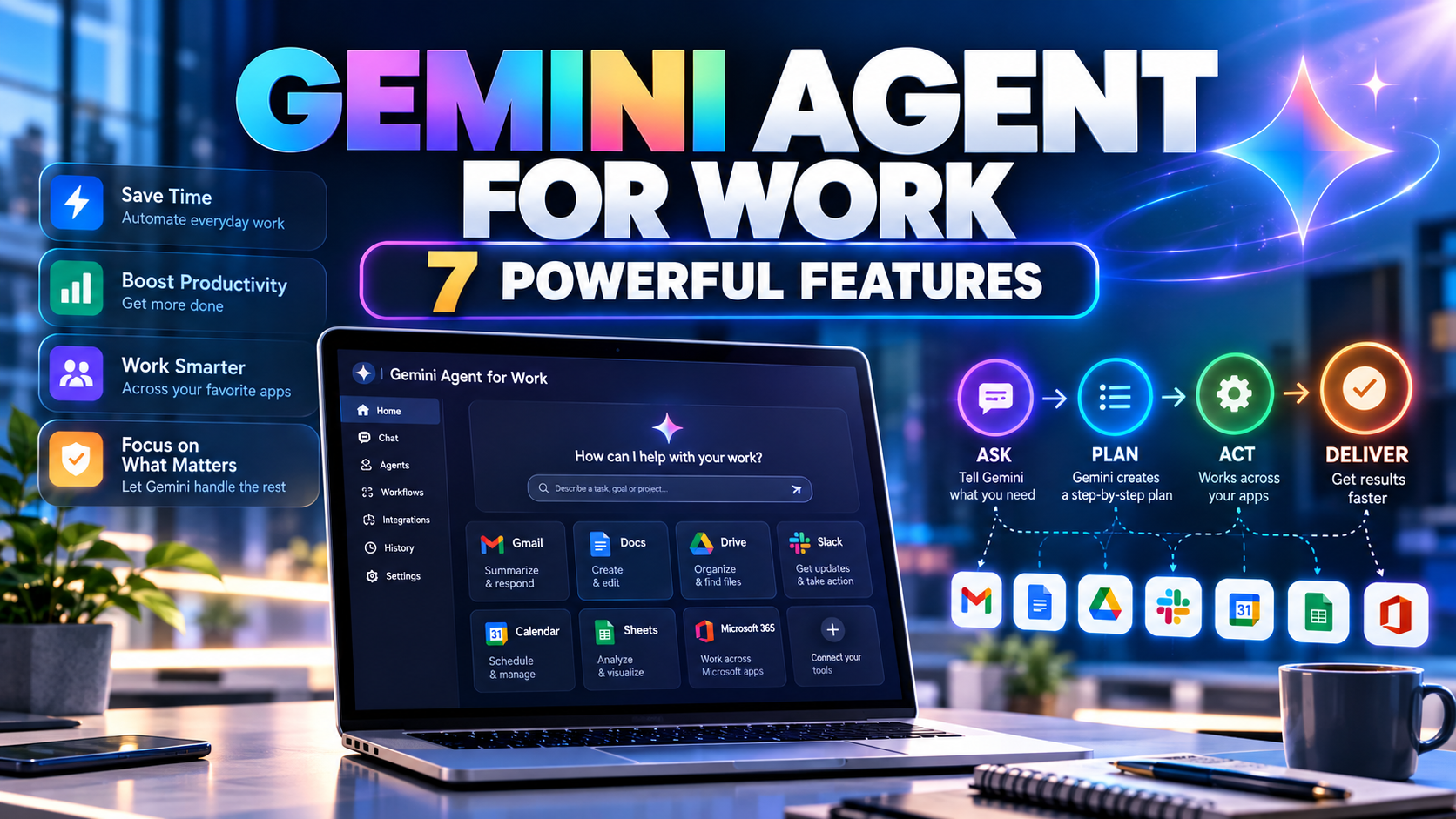
Google Gemini agent for work: Google Cloud introduced a new Gemini agent for work on October 8, 2026, designed to complete multi-step tasks across workplace applications rather than simply answer questions. The company says the agent can operate inside Gmail, Drive, Docs, Sheets, Slides, Chat and Calendar, while connecting to other business tools and selecting models according to the task.
The Google Gemini agent for work announcement matters for everyday software users because it points toward a new workflow: describe the result you want, then let an assistant plan the steps and return work in the applications you already use. The company describes enterprise governance and cost controls, but access and practical capabilities depend on rollout and organizational configuration.
Google Gemini agent for work: 7 key features
Google’s October 8 announcement highlights seven central capabilities: (1) multi-step task planning; (2) work inside Gmail, Docs, Drive, Sheets, Slides, Chat and Calendar; (3) connections to authorized outside business systems; (4) model selection according to the task; (5) coordinated subagents; (6) persistent context across devices and work sessions; and (7) enterprise permission, audit and spending controls. These are announced capabilities, not a promise that all users already have access.
Google describes the Google Gemini agent for work as a universal agent for business tasks. Unlike a chatbot that responds only to the latest question, the new system is intended to pursue an objective across multiple steps. It can plan, use tools, coordinate subagents and bring the finished result back into familiar workplace applications.
For example, an employee could ask for a project summary that draws on shared documents and meeting context, or request a presentation based on information already available to the organization. Those are product scenarios described by Google, not independent evidence that every organization can already run every workflow.
How is it different from the regular Gemini chatbot?
For Google Gemini agent for work, the most important distinction is action. A traditional chatbot is mainly a conversation interface. An agent is designed to make decisions about which tools to use, perform authorized operations and continue working toward a goal. The user still needs to define the task and retain control over sensitive actions.
Google also separates the agent experience from the underlying AI model. Its announcement says the system can route work between Gemini and supported Claude models depending on the job. That means the user interacts with one agent while model selection happens behind the scenes.
Google Gemini agent for work: supported Workspace apps
For Google Gemini agent for work, Google lists Gmail, Drive, Docs, Slides, Sheets, Chat and Calendar as core Workspace surfaces. The agent is intended to work within those tools while carrying context, permissions and memory across the experience. A request might involve checking a calendar, reading shared project documents and preparing an email or slide deck.
The company also describes access from web and mobile devices, desktops and command-line environments. The goal is continuity: a long-running task should not have to restart merely because someone closes a laptop or switches devices. Whether that continuity is available in a specific account depends on the product’s rollout and permissions.
Can Gemini agent connect to Slack and Microsoft 365?
Google says its enterprise agent can connect to external systems, including Microsoft 365, Slack and other business applications. Its broader tools ecosystem also mentions platforms such as Jira, Salesforce, ServiceNow and databases. These connections are important because most companies do not keep all their information inside one vendor’s suite.
For Google Gemini agent for work, connections should not be confused with unlimited access. Administrators must configure integrations, identities and permissions. An agent should see only the information its authorization allows, and organizations should test each integration before trusting it with important workflows.
What are coworker agents and subagents?
Google describes temporary subagents that can help break a complex task into smaller jobs. It also describes persistent coworker agents that can operate with their own identity and participate in a team’s workflow. A coworker agent might receive a role, be mentioned in a group conversation or contribute to shared documents.
This design could reduce repeated manual coordination, but it introduces questions about accountability. Teams need to know which actions were performed by a person, which were performed by an agent and who approved any changes. Google’s identity and audit features are intended to address that problem.
Google Gemini agent for work: availability and pricing
The October 8 announcement describes an enterprise product and does not establish that every feature is included in the free consumer Gemini plan. Pricing, eligibility and access should be checked against the relevant Google Cloud and Workspace documentation. An enterprise launch is not the same as a free consumer release.
Google says the system includes model routing and project spending controls. Organizations can set limits so agent activity pauses when a configured budget threshold is reached. That is particularly relevant when a task creates many model calls or uses cloud execution environments over an extended period.
How does Google say the agent protects company data?
The announcement emphasizes agent identities, permission controls, auditing, sandboxed execution and policy enforcement. The underlying idea is that an agent should not automatically inherit unlimited access simply because a user asks it to perform a task.
Organizations still need their own governance rules. Sensitive data classification, approval requirements, connector permissions and logs remain important. No vendor announcement eliminates the risk of mistaken actions, unauthorized sharing or flawed output. Human review is especially valuable for financial, legal and customer-facing decisions.
Who could benefit from Gemini agent?
Knowledge workers may benefit from research summaries, meeting preparation and document creation. Project teams may use it to coordinate updates across tools. Developers may find value in code-related tasks, while analysts could use data skills to create reports. Each benefit depends on access to accurate information and properly configured tools.
Small businesses may also see potential, but they should compare the subscription and operational costs with the time saved. A simpler workflow can be better than a complicated autonomous process if the work is occasional or high risk.
What should users test before relying on it?
Start with a low-risk, repeatable task that has a clear success condition. Confirm the sources the agent used, review the output, check whether it changed anything unexpectedly and measure the time saved. Only then consider giving it access to more sensitive systems.
For broader context, our earlier AI agent economy explainer discusses why software companies are moving from app-by-app interactions toward delegated workflows. Google’s announcement is a concrete example of that shift.
Bottom line
Google Gemini agent for work aims to turn workplace AI into an assistant that can plan and execute work across applications. Its promise is fewer manual steps, but its real-world value will depend on rollout, pricing, data quality and security controls.
For readers comparing Gemini’s consumer and business offerings, see our Gemini free plan model-access guide. The workplace agent is a separate enterprise product, so consumer free-plan entitlements should not be assumed to apply.
Official source: Google Cloud’s October 8 Gemini at Work announcement.