

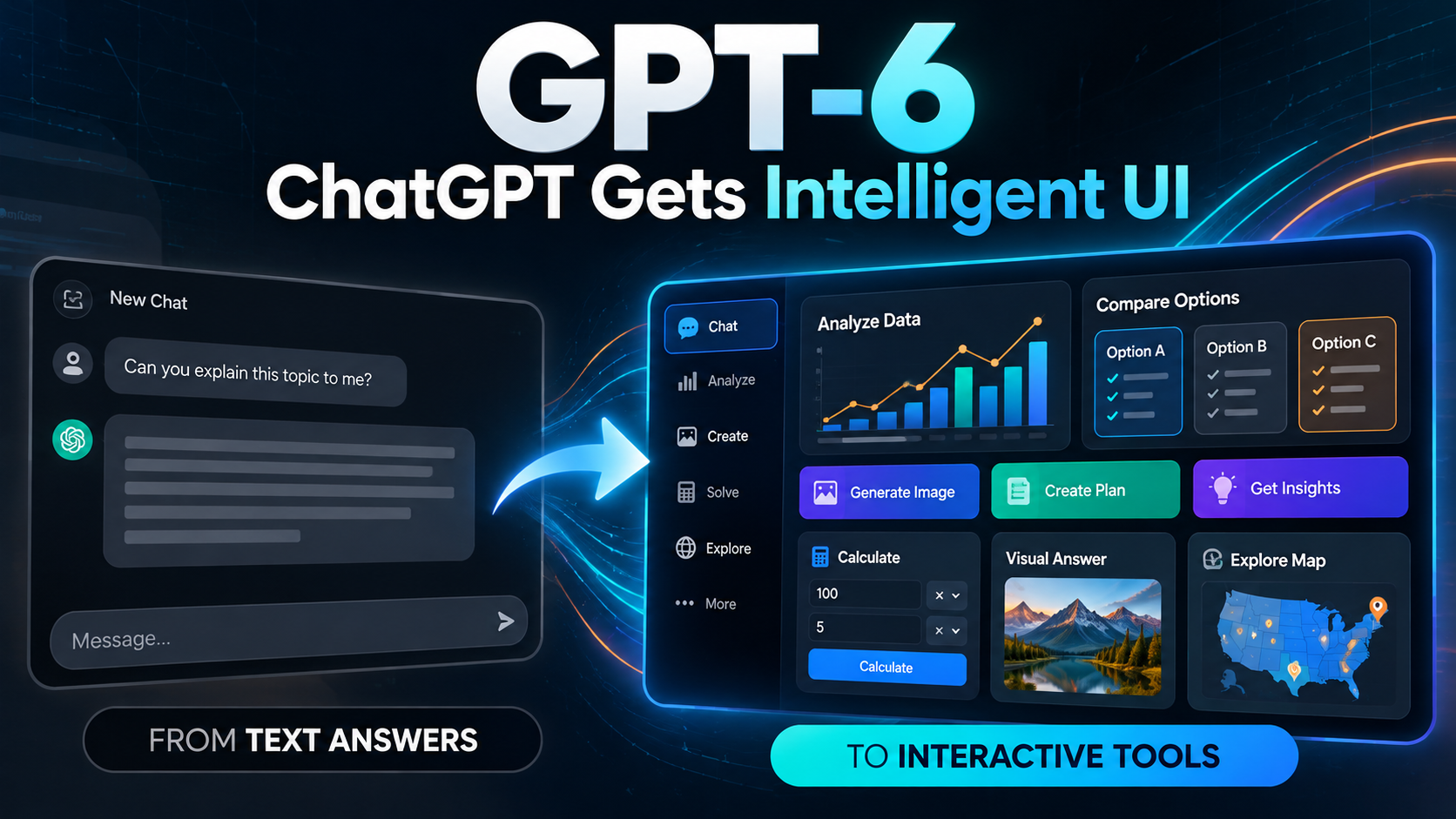
GPT-6 is now rolling out in ChatGPT with a major change in how answers can look and behave. Instead of relying only on text, ChatGPT can now combine written explanations with charts, diagrams, buttons, forms and small interactive tools through a feature OpenAI calls Intelligent UI. The rollout began for paid plans on October 7, 2026, and expands to Free and Go users starting October 8.
The important point is not simply that there is a new model. GPT-6 changes the ChatGPT experience itself. A question can still receive a normal text response, but when an interactive format is useful, ChatGPT can build one inside the conversation. That means a comparison might appear side by side, a planning question could include controls, and a calculation may become a usable tool rather than a block of instructions.
What is GPT-6?
GPT-6 is the latest model generation being expanded across ChatGPT. OpenAI says the new Chat experience is powered by GPT-6 Sol for Plus, Pro, Business and Enterprise users, while GPT-6 Luna is used for Free and Go users. Both support Intelligent UI in the normal Chat experience.
OpenAI’s official GPT-6 announcement says the update is designed for the more than 1.2 billion people who use ChatGPT each week. The company is positioning the release not only as a model upgrade, but as a change in how people interact with AI.
That distinction matters. Model improvements are usually judged by better answers, stronger reasoning or improved tool use. GPT-6 adds another layer: the system can decide how an answer should be presented, not just what the answer should say.
What changed in ChatGPT?
The most visible change is that responses no longer have to follow one fixed conversational layout. OpenAI says GPT-6 can combine text, data, visuals and interactive elements depending on the task.
For example, a user comparing options could receive a structured comparison interface. A learner could get an interactive diagram. Someone planning a trip might see a map-based response. A budgeting question could generate a small calculator with controls that can be adjusted without rewriting the entire prompt.
This does not mean every answer will turn into a dashboard. OpenAI says simple text remains available when it is the most useful format. The model is expected to choose the presentation style based on the question.
PPF analysis: This makes GPT-6 more than a visual refresh. The practical shift is from “AI writes an answer” toward “AI builds a temporary interface for the task.” That can reduce the amount of back-and-forth needed when the user wants to compare, calculate, explore or change inputs.
What is Intelligent UI?
OpenAI’s Intelligent UI documentation describes it as a system that lets ChatGPT shape an answer using the layout, visuals and interactivity that best fit the user’s goal.
Responses can include:
- graphics and diagrams;
- charts and structured comparisons;
- tappable buttons;
- forms and controls;
- interactive calculators and utilities;
- custom interfaces built directly inside the conversation.
The useful difference is that these elements are not separate apps the user has to open. They can appear inside the answer itself.
OpenAI gives examples such as visual explanations, road-trip planning, changing recipe quantities, small games and bill-splitting tools. The interface is generated progressively as the model responds.
GPT-6 Free vs paid: who gets what?
The rollout is not identical across every ChatGPT plan.
| Plan | Model in Chat | Intelligent UI |
|---|---|---|
| Free | GPT-6 Luna | Supported as rollout reaches the account |
| Go | GPT-6 Luna | Supported |
| Plus | GPT-6 Sol | Supported |
| Pro | GPT-6 Sol in normal Chat | Supported in eligible reasoning modes |
| Business | GPT-6 Sol | Supported, subject to workspace access |
| Enterprise | GPT-6 Sol | Supported, subject to admin settings |
There is one important exception. OpenAI says the Pro reasoning option continues to use GPT-6 Astra, and Intelligent UI is not supported in that mode. In other words, the highest reasoning option is not automatically the mode with the most visual interface features.
Rollout timing can also vary. If GPT-6 does not appear immediately, that does not necessarily mean the account is ineligible. OpenAI’s model availability guidance says access is being rolled out and can depend on plan, workspace permissions and supported client versions.
Why GPT-6 can feel faster even when it is still thinking
Another change is how the answer begins. Previous reasoning models often completed more of their internal work before showing a response. GPT-6 can start presenting useful information while it continues reasoning or using tools.
OpenAI says that in its internal tests, GPT-6 Instant began answering web-search questions 44% sooner on average than GPT-5.6 Instant. This is specifically a measurement of how quickly the answer starts, not a guarantee that every full response will finish 44% faster.
That distinction is important. “Starts sooner” and “finishes sooner” are different performance measures. The user benefit is that useful information can appear earlier while the system continues adding findings.
What did not change with this rollout?
The GPT-6 update applies to the Chat experience. OpenAI says the models powering Work and Codex are not being changed as part of this release.
This matters because users may assume that seeing GPT-6 in Chat means every OpenAI product has switched to exactly the same model and interface. That is not the case.
Client support also matters. OpenAI’s help documentation notes that Intelligent UI is available on the web and supported updated apps. Older desktop app versions may not support the new experience, so users who do not see it should first check whether they are using a supported client.
Five useful things to try with GPT-6
The easiest way to understand Intelligent UI is to give it a task where an interface would genuinely be more useful than a paragraph.
- Ask for a comparison. Compare three laptops, travel plans or subscription options and request a side-by-side view.
- Ask for a calculator. Try a budget splitter, savings estimate or scenario calculator where you can change the inputs.
- Ask for a visual explanation. Use a technical or educational topic that benefits from a diagram rather than a long text block.
- Ask for an adjustable plan. Create a meal, study or workout plan and then change one constraint to see whether the interface adapts.
- Ask for a decision tool. Give several requirements and request a structured way to compare the choices.
The best tests are tasks where changing one variable should change the result. That makes the interactive part measurable rather than decorative.
For readers comparing the wider AI model landscape, PPF’s coverage of Mistral Large 4 looks at another recent model release from a developer-access and deployment perspective.
Intelligent UI does not remove the need to verify answers
A polished interface can make an answer easier to use, but it does not make every underlying fact correct. A chart can still be based on incomplete data. A calculator can still receive the wrong assumptions. A comparison can still omit an important option.
PPF analysis: Intelligent UI may increase trust because the response can look more like finished software. Users should separate presentation quality from evidence quality. When the topic involves money, health, security, legal decisions or another high-impact area, check the source data and assumptions rather than trusting the interface because it looks professional.
OpenAI also says GPT-6 includes safety improvements and stronger resistance to attempts to bypass safeguards. These are company-reported evaluation results, not a promise that the model cannot make mistakes or be misused.
What GPT-6 could mean for the future of software
Forward-looking analysis: The most important long-term idea behind Intelligent UI is that software may become less fixed. Today, people typically learn an application’s menus, forms and workflows. OpenAI’s stated direction is the reverse: the interface adapts around what the person is trying to accomplish.
If that approach works reliably, a user may not need a separate purpose-built screen for every small task. The AI could generate the relevant controls when needed, then disappear when the task is finished.
That does not mean traditional apps are about to disappear. Persistent software still has major advantages for complex workflows, collaboration, permissions, data history and predictable behavior. But GPT-6 suggests a new middle layer: lightweight interfaces created on demand inside a conversation.
This also connects with the broader shift toward AI agents. PPF’s AI agent economy coverage examines how AI is moving from answering questions toward carrying out more structured work. Intelligent UI adds another piece to that transition by giving the user a way to see and control those tasks.
Bottom line
GPT-6 is important because the update changes both the model and the way ChatGPT presents information. Paid plans receive GPT-6 Sol in Chat, Free and Go receive GPT-6 Luna, and Intelligent UI can turn suitable answers into visual, interactive experiences instead of static text.
The feature is still rolling out, and not every question will produce an interactive response. The best way to judge it is to test tasks where a chart, comparison, adjustable control or calculator provides clear value. The larger question is whether dynamically generated interfaces can become reliable enough to make software adapt to users instead of forcing users to adapt to software.