

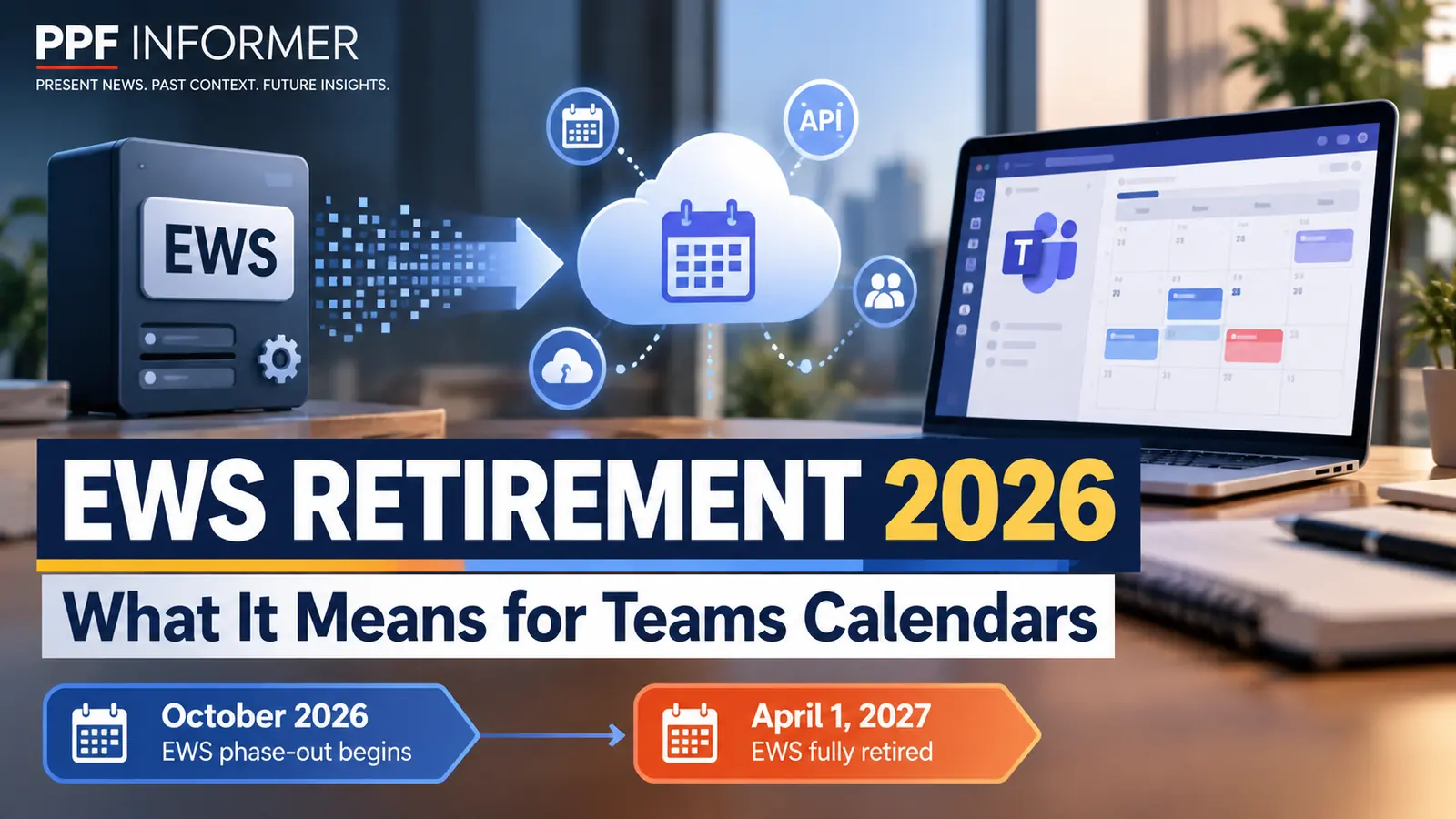
Microsoft Teams calendar problems can have several causes, and Exchange Online’s EWS retirement is only one possible factor for integrations. Microsoft began a phased retirement of Exchange Web Services (EWS) in Exchange Online in October 2026. Applications and integrations that depend on EWS can be affected, but this is not evidence of a widespread Microsoft Teams calendar outage. The change is part of a planned move away from a legacy API toward supported alternatives such as Microsoft Graph. It is not a blanket shutdown of Microsoft Teams.
For employees and IT administrators, the immediate question is practical: which devices and applications still rely on EWS, and what should be updated before users lose meeting calendars or one-touch join functions?
Microsoft Teams calendar problems: What is changing in October 2026?
Microsoft announced that EWS disablement in Exchange Online would begin on or soon after October 1, 2026, with a phased rollout across tenants. EWS is an older interface that software has used to access mailbox data and related services. The company has encouraged customers to move to Microsoft Graph and other supported approaches.
The initial change is not necessarily identical for every tenant on the same day. Microsoft described administrator controls, temporary exceptions and a later final cutoff. Organizations that did not take certain preparatory steps could see EWS access blocked, while those with explicitly configured settings may have different behavior during the transition.
An EWS-dependent calendar integration may lose access when Microsoft blocks EWS in a tenant. That is different from saying that standard Teams calendars or all Teams mobile apps rely on EWS. Administrators should check actual EWS usage and tenant-specific Microsoft 365 Message Center notices before linking a Teams calendar issue to this retirement.
Does Microsoft Teams stop working?
No. The published notices concern specific calendar functions and dependencies, not a universal loss of Teams chat, calls or meetings. A user who cannot see a calendar in an older mobile client should not assume that the entire Microsoft 365 service is offline.
The EWS retirement notices do not establish a general requirement that Teams mobile users must upgrade their app to avoid an October 2026 calendar failure. That distinction is useful when troubleshooting: if the mobile calendar is missing, testing the same account on desktop or the web can help isolate whether the issue is tied to the app version.
To investigate Microsoft Teams calendar problems, organizations should avoid announcing a general outage before checking the service-health dashboard and their tenant-specific Message Center notices. A calendar error may arise from client compatibility, device policy, an account issue or a separate service incident.
Who is most likely to be affected?
The clearest group at risk is organizations using custom applications or third-party products that still call Exchange Online EWS. Teams users who notice missing meetings should first check Microsoft 365 service health, their account and client version; the EWS retirement alone does not prove their Teams mobile app is responsible.
Some meeting-room systems and scheduling integrations can also depend on Exchange Online data access. Their exposure must be verified against product-specific documentation and EWS usage logs rather than assumed from the fact that they are used with Teams.
Beyond Teams, custom business applications and third-party integrations built against EWS are also relevant. Some of these systems run quietly in the background, so an organization may not discover the dependency until a workflow stops. Inventorying actual EWS usage is more reliable than relying on memory.
What is the EWS shutdown timeline?
Microsoft’s Exchange team set October 2026 as the beginning of tenant-by-tenant disablement. Its published plan says the final EWS shutdown is scheduled for April 1, 2027, with no exceptions after that date. That creates a temporary migration period rather than indefinite support.
The transition involves the EWSEnabled setting and an application-ID allow list. Depending on the organization’s configuration, administrators may be able to temporarily re-enable EWS for necessary applications during the interim period. Microsoft warns that this is a bridge, not a substitute for migration.
When Microsoft Teams calendar problems appear alongside EWS migration, administrators should not assume a shared cause. Because some public articles describe earlier versions of the plan, administrators should consult the latest Microsoft Exchange team guidance and their own Message Center. Do not apply a copied deadline or setting from an old article without verifying the current instructions.
How should individual Teams users respond?
If you face Microsoft Teams calendar problems, check Microsoft 365 service health and verify the account works on another Teams client. Updating through the official app store or your employer’s managed app catalog is sensible troubleshooting, but it does not prove that EWS retirement caused the issue.
If the calendar still does not appear, compare it with Teams on desktop or the web and report the behavior to IT. Include the phone’s operating-system version, Teams app version, approximate time, whether other accounts are affected and any error text. These details help distinguish a local compatibility issue from a wider service problem.
Avoid downloading unofficial application packages or following links in unexpected messages claiming to fix the issue. Security incidents often exploit real product changes as a pretext for phishing. Use your employer’s established support channel or Microsoft’s official documentation.
What should Microsoft 365 administrators check?
First, review the tenant’s Message Center and Exchange Online EWS usage reports. Identify the applications, devices and service accounts still making EWS calls. Map each dependency to an owner and decide whether it can be upgraded, reconfigured or replaced with Microsoft Graph.
Second, audit applications and room-booking integrations that appear in the Exchange Online EWS usage report. Review Microsoft’s EWSAllowedAppIDs guidance, test necessary exceptions carefully, and confirm each integration has a supported migration path. Separately, review Teams client and room-device compatibility using product-specific notices.
Third, test critical workflows and communicate the user impact. Calendar sync, room booking and one-touch join may have different failure modes. A controlled pilot with a small user group can reveal problems before the whole organization is affected. Document any temporary EWS exception and set a firm migration deadline before April 2027.
Why is Microsoft retiring EWS?
Microsoft says the legacy interface no longer meets its preferred security, scale and reliability requirements. Microsoft Graph has become the strategic API for many Exchange Online integrations, and the company has been preparing partners and customers for EWS retirement for years.
Migration can be complex for older software because API behavior, permissions and authentication models are not always identical. An integration that previously used EWS may need code changes, revised scopes, new monitoring and testing. Businesses should plan for that work rather than treating retirement as a simple switch.
From a security perspective, reducing old interfaces can lower maintenance burden and exposure. But moving to a newer API does not automatically make an application secure. Access permissions, logging, secrets management and vendor review remain important.
What is the bottom line for October 14?
October 2026 is an active transition period for Exchange Online EWS. Users reporting Microsoft Teams calendar problems should troubleshoot errors without assuming EWS is the cause, while administrators should audit Exchange Online EWS dependencies, check tenant-specific notices, and plan migration to supported APIs.
Do not assume that every missing calendar means the same problem, or that every Teams feature is affected. The key dates are the phased October 2026 change and Microsoft’s announced April 1, 2027 final shutdown. Temporary workarounds should support a planned migration, not replace one.
Readers can verify the underlying retirement plan in Microsoft’s Exchange team announcement and check their organization’s own Microsoft 365 Message Center for the precise impact and recommended action.
Related coverage and official documentation
For more coverage of Microsoft software transitions, see our Windows 10 support and security update guide and Microsoft’s recent AI software developments.
Microsoft Exchange team: EWS retirement schedule, and Microsoft’s EWSAllowedAppIDs guidance. Tenant-specific Teams client and device notices should be checked inside the Microsoft 365 admin Message Center.